Apps that talk for you: type, and your phone speaks out loud
Looking for an app that talks for you? The free tools already on iPhone and Android, the best type-to-speak apps, which one suits your situation, and how to start in five minutes.
An app that talks for you is a text to speech app: you type what you want to say, tap Speak, and your phone says it out loud. Your phone already has a free one (Live Speech on iPhone), and dedicated apps such as MyVoice, Proloquo4Text, Spoken, Speech Assistant AAC and Predictable add more natural voices, saved phrases and faster ways to talk. Which one is best depends on whether your voice loss is short term or long term, which phone you have, and whether you need to make phone calls.
We make MyVoice, so we’ve tried to be fair about where other apps are the better choice. Prices are from each provider’s published pricing or the US App Store as of October 2026.
What “an app that talks for you” actually means
There are two kinds of app that turn text into speech, and it’s easy to download the wrong one:
- Reading apps read documents, web pages and books to you. Speechify, ElevenReader and NaturalReader are in this group. They’re great for listening, but they aren’t designed for conversation.
- Speaking apps say your own words out loud to other people. You type, the app speaks, and the person in front of you hears it. These are sometimes called AAC apps (augmentative and alternative communication), and they’re the ones this guide is about.
If you want your phone to speak for you at a shop counter, a doctor’s appointment or around the dinner table, you need a speaking app.
Apps that talk for you at a glance
| App | Platforms | Cost (US) | Best for |
|---|---|---|---|
| Apple Live Speech | iPhone, iPad, Mac | Free, built in | Trying type-to-speak today, and speaking in phone calls |
| Android “Type responses during calls” | Google Pixel 6 and later | Free, built in | Typing replies in phone calls on a Pixel |
 MyVoice | Android, iPhone | Free plan; paid from $2.99/month | Everyday conversation in a natural AI voice, at low cost |
| Proloquo4Text | iPhone, iPad, Mac | $119.99 one-off | Daily, full-time use on Apple devices, with advanced prediction |
| Spoken | iPhone, Android, Mac | Free to speak; Premium from $12.99/month | Building sentences from predicted words |
| Speech Assistant AAC | Android, iPhone | Free basic version on Android; one-off upgrade | Simple phrase buttons and large on-screen text |
| Predictable | iPhone, iPad, Android | $79.99 on iOS | Word prediction and phrase grids in 43 languages |
Free options already on your phone
Apple Live Speech (iPhone)
Live Speech lets you type and have your iPhone say it out loud. Turn it on in Settings > Accessibility > Live Speech, then triple-click the side button to open it. You can save phrases, and Apple says it works in person and in FaceTime and phone calls. That last part matters: it’s one of the few ways to speak into a phone call.
The trade-off is that it’s an overlay you summon with a shortcut, rather than a dedicated space for conversation, and the voices are the standard system voices.
Pixel “Type responses during calls” (Android)
On a Google Pixel 6 or later, Live Caption has a Type responses during calls setting that reads your typed replies to the caller. It’s for calls only, not face-to-face conversation. Other Android phones don’t have a built-in type-to-speak tool for conversation, so most Android users will want an app.
Our guide to using text to speech on iPhone and Android has the full setup steps for both.
Dedicated apps that speak for you
MyVoice
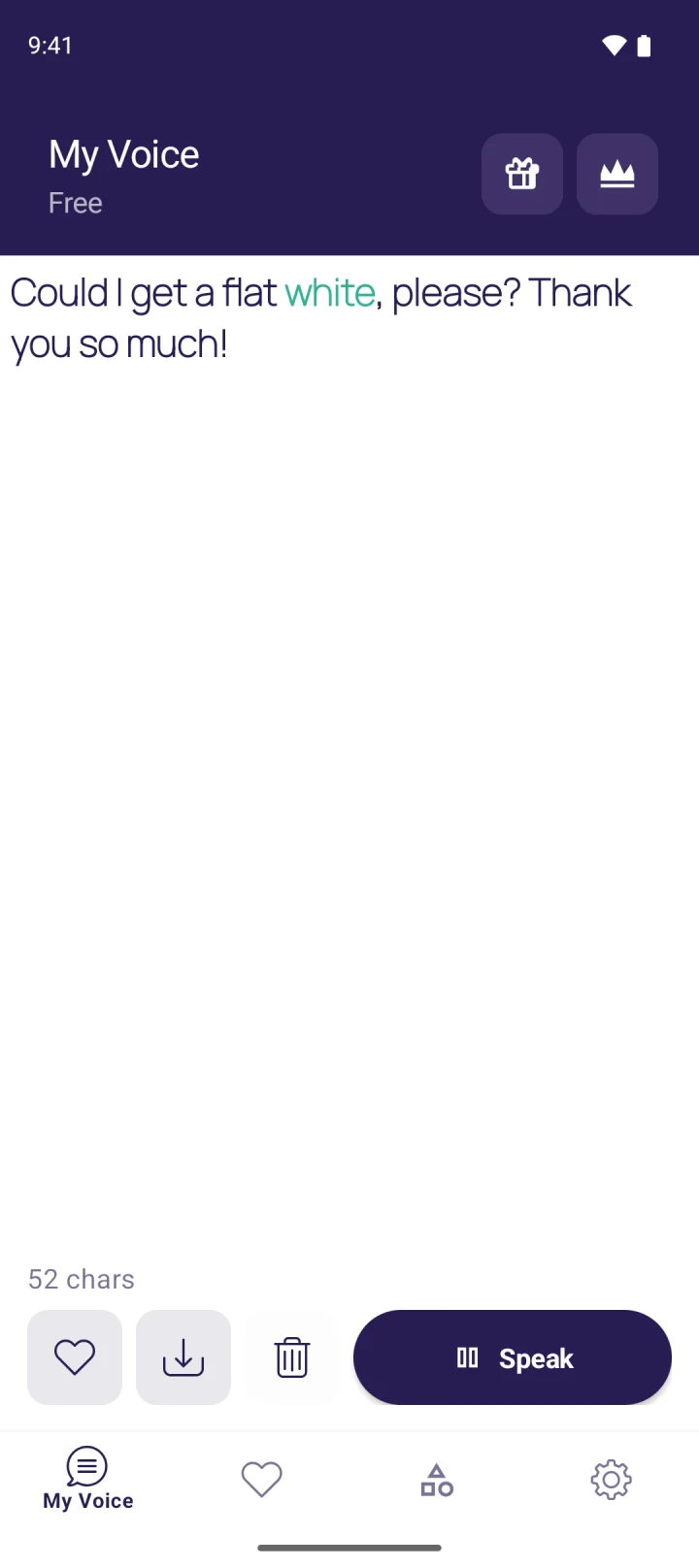
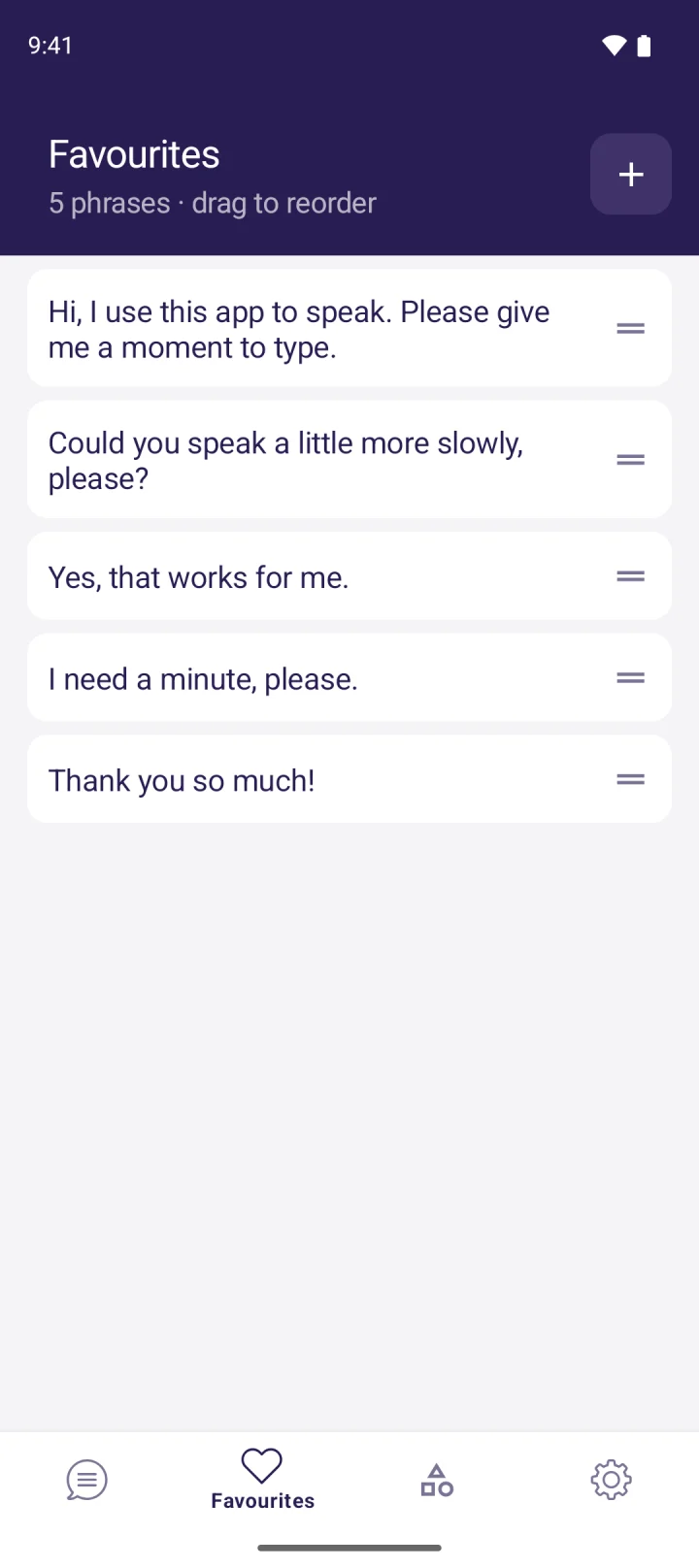
MyVoice is our app. It’s a text-based AAC app for Android and iPhone: you type, tap Speak, and it’s read aloud in one of 300+ natural AI voices across 16 languages, with each word highlighted as it’s spoken. Saved phrases, favourites and categories put the things you say most one tap away. On Android, it also has unlimited on-device voices that work offline and a speak as you type mode.
The free plan includes every AI voice for 3,000 characters a month (about 600 words), with no ads. Paid plans start at $2.99 a month. See pricing.
Proloquo4Text
Proloquo4Text from AssistiveWare is a mature, specialist app for people who type to speak every day. It has advanced word and sentence prediction, saved phrases, and more than 150 voices including Apple’s Personal Voice. It’s Apple only, and a one-off $119.99.
Spoken
Spoken is aimed at teens and adults. You build sentences by tapping predicted words that adapt to the way you talk. Speaking is free, and Premium adds personalised predictions, saved phrases and voice customisation.
Speech Assistant AAC
Speech Assistant AAC by ASoft is built around phrase buttons arranged in categories, plus free typing. It can show your message full screen in large text, which helps in noisy places. It uses the voices installed on your phone.
Predictable
Predictable from Therapy Box has smart word prediction and phrase grids, and supports 43 languages and bilingual setups.
Which app should I use?
You’ve lost your voice for a few days or weeks (laryngitis, voice rest, after an operation): start with something free and quick. Live Speech on iPhone, or the MyVoice free plan on either phone, will get you talking in minutes. If you’ve had throat surgery, our guide to talking after surgery covers appointments, drive-thrus and shops.
Your voice loss is long term (MND/ALS, laryngectomy, a neurological condition): look for a dedicated app with saved phrases, a voice that feels like yours, and a price you can sustain. Proloquo4Text is the specialist choice on Apple devices. MyVoice and Spoken work on both Android and iPhone.
You need symbols rather than typing: a text app isn’t the right tool. See our guide to the best AAC apps for symbol-based options.
You mainly need phone calls: Live Speech on iPhone and Type responses during calls on a Pixel can speak into a call. MyVoice can’t. It plays through your phone’s speaker or Bluetooth audio, for face-to-face conversation.
How to start talking with an app in five minutes
- Install the app and open it once while you have Wi-Fi, so everything it needs is downloaded.
- Choose a voice that feels right for you. Listen to a few. In MyVoice you can filter by gender, age and accent, or hear every voice before you install.
- Save five phrases you’ll need straight away, such as “I can’t speak at the moment, I’m using my phone to talk”, “Yes”, “No”, “Thank you” and “Could you give me a moment to type?”.
- Turn the volume up and test it across a room. If the phone speaker isn’t loud enough, a small Bluetooth speaker helps.
- Practise once with someone you know. A minute of practice makes the first real conversation much easier.
Where MyVoice fits
MyVoice is designed for one job: speaking your words out loud, quickly, in a voice that sounds like a person. It suits people who can type and want a natural voice at low cost, whether for a week of voice rest or every day.
What it doesn’t do:
- No phone calls. It speaks through your phone’s speaker or Bluetooth audio, not into a call.
- No offline voices on iPhone. On iPhone, MyVoice needs an internet connection. On Android, the on-device voices work offline.
- No symbol boards. It’s a typing app, for people who can read and spell.
FAQ
What app can I type into and have my phone speak out loud?
A text to speech app, sometimes called an AAC app. Free options include Live Speech on iPhone and the free plans of MyVoice and Spoken. Paid specialist apps include Proloquo4Text and Predictable.
Is there a free app that talks for me?
Yes. Live Speech is built into iPhone. MyVoice has a free plan on Android and iPhone with every AI voice for 3,000 characters a month and no ads, and unlimited offline voices on Android. Spoken lets you speak for free.
Can an app talk for me on a phone call?
On iPhone, Live Speech can speak your typed words in phone and FaceTime calls. On Google Pixel 6 and later, Type responses during calls reads your replies to the caller. Many speaking apps, including MyVoice, only work face to face.
Do I need an AAC app or a text to speech app?
If you want your phone to speak your own words to other people, they’re the same thing: a text-based AAC app is a text to speech app built for conversation. If you want documents read to you, you need a reading app instead.
Download MyVoice
Try for free
Natural AI voices, saved phrases, and full accessibility support on iOS and Android.