
Lost your voice after surgery? How to talk at the doctor's, the drive-thru and the shops
Lost your voice after surgery or on voice rest? How to set up your phone before the operation, and how to communicate at appointments, drive-thrus, shops and at home while you recover.
If you’ve lost your voice after surgery, or been told to rest it completely, a text to speech app on your phone lets you keep talking: you type, and the phone says it out loud. Set it up before your operation, save the phrases you’ll need, and have a plan for the hard situations, such as a noisy drive-thru, where showing your screen isn’t enough. Always follow your surgeon’s voice rest instructions, and don’t whisper, because it strains your voice.
This guide is general information, not medical advice. Your surgical team’s instructions come first.
Why surgery can affect your voice
- Surgery on the vocal folds or larynx, such as removing nodules, polyps or cysts, is often followed by a period of strict voice rest while the tissue heals. How long varies, so ask your surgeon exactly what’s allowed and when.
- Surgery on the neck, such as thyroid surgery, can leave your voice weak or hoarse for a while afterwards.
- A breathing tube used during a general anaesthetic can leave your throat sore and your voice hoarse for a few days.
- Surgery on the mouth, jaw or throat can make talking painful, even when your voice itself is fine.
Whatever the reason, the problem is the same: for a while, you need another way to talk.
Before your surgery: set up your phone
It’s much easier to do this while you feel well, rather than the day you get home.
- Install a text to speech app and open it once on Wi-Fi. Apps that talk for you compares the options, including the free tools already on your phone.
- Pick a voice you’re happy to be heard in. You’ll use it with doctors, family and strangers, so choose one that feels like you.
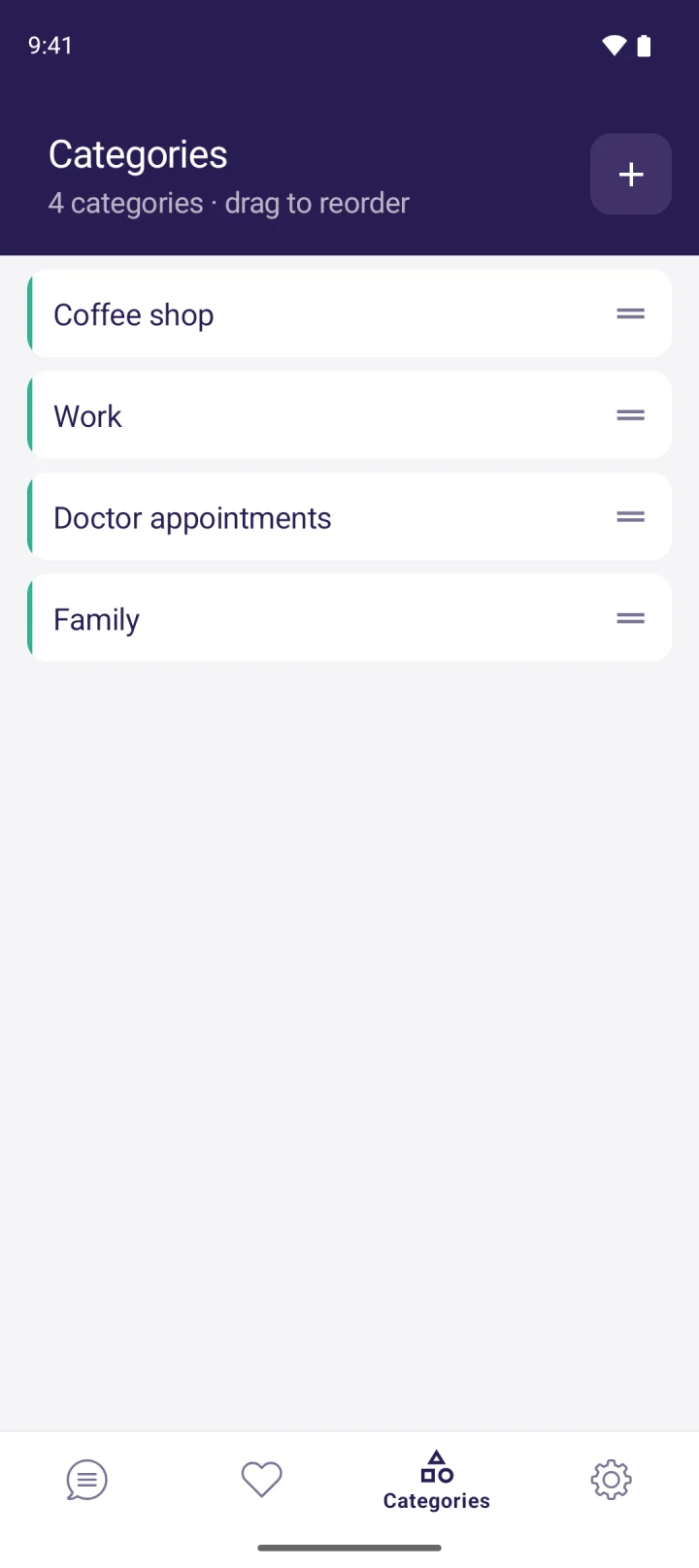
- Save the phrases you’ll need (see the list below), grouped into categories such as “Hospital”, “Home” and “Out and about”.
- Test the volume in a noisy room. If it’s too quiet, pack a small Bluetooth speaker.
- Tell people in advance. Let your family, your manager and anyone you see regularly know you won’t be able to speak, and for roughly how long.
- Pack a charger and a notepad. A pen and paper is the backup when your battery or signal isn’t there.
Phrases worth saving before you go in
- “I’ve just had surgery on my throat and I can’t speak. I’m using my phone to talk.”
- “Please give me a moment to type.”
- “Yes.” / “No.” / “Thank you.” / “Not yet.”
- “I’m in pain. It’s about [number] out of 10.”
- “Could you write that down for me, please?”
- Your regular coffee or food order, word for word.
At the doctor’s, hospital or pharmacy
- At reception, play your “I can’t speak” phrase first. It explains the situation in one tap and stops people waiting for you to answer out loud.
- Type your questions before the appointment. Symptoms, medication questions and anything you’re worried about can be ready to speak or show the moment you sit down.
- Turn the screen towards the clinician while the app speaks. Seeing the words as well as hearing them avoids misunderstandings.
- Ask for instructions in writing, especially about how long to rest your voice and when you can start talking again.
- Ask staff to talk to you, not your companion. “Please speak to me directly. I’ll answer by typing” is a useful saved phrase.
If the hospital has poor mobile signal, check whether your app works offline. On Android, MyVoice’s on-device voices work without a connection. On iPhone, MyVoice needs the internet, so connect to the hospital Wi-Fi if there is one, and keep your notepad handy.
At the drive-thru
Drive-thrus are hard: the speaker post is noisy, staff expect a quick reply, and you’re behind the wheel. Some approaches that help:
- Type your order before you join the queue, and save regular orders as phrases. Never type while driving.
- Turn the volume to maximum and hold the phone near the open window, pointed at the speaker post.
- Start with a short explanation: “Hi, I can’t speak, so my phone is talking for me.” Staff are usually patient once they know.
- Show your screen at the payment window if anything wasn’t heard properly.
- Order ahead in the restaurant’s own app, or go inside and show your screen at the counter. Both are often easier than the speaker post.
In shops and cafés
Hold the phone up, let it speak, and turn the screen around so people can read along. Saved phrases such as “Do you have this in a larger size?” or “Can I pay by card?” save typing the same thing over and over.
At home
Agree a few simple signals with the people you live with (one tap for yes, two for no), keep a notepad in each room, and use the app for anything longer. Speak as you type (on Android in MyVoice) reads each word as you finish it, which keeps quick back-and-forth conversation moving.
How long will I need to rest my voice?
That depends on the operation and on your surgeon, so ask before you leave hospital and get the answer in writing. While you rest:
- Don’t whisper. It strains your voice just like talking loudly does.
- Don’t clear your throat hard or cough unnecessarily. Sip water instead.
- Drink plenty of fluids, and avoid smoky or dusty places.
- Contact your surgical team if your voice isn’t improving when they said it would, or if you have new pain, bleeding or swelling.
- Call 999 (UK) or 911 (US) if you have any difficulty breathing.
For voice rest after laryngitis and other everyday causes, see lost your voice? How to communicate without speaking.
Using MyVoice while you recover
MyVoice is a text to speech app for Android and iPhone: you type, tap Speak, and it’s read aloud in a natural AI voice.
- Free to start, with no ads. The free plan includes every AI voice for 3,000 characters a month (about 600 words). On Android, you also get unlimited on-device voices that work offline.
- For heavier use during recovery, the Lite plan is $2.99 a month for 200,000 characters (about 40,000 words). You can cancel any time from your App Store or Google Play account once your voice is back. See pricing.
- Saved phrases, favourites and categories keep hospital and everyday phrases one tap away.
- Good to know: on iPhone, MyVoice needs an internet connection. On Android, the on-device voices also work offline.
FAQ
How do I communicate after throat surgery?
Use a text to speech app to speak what you type, save the phrases you’ll need, and keep a notepad as a backup. Set it all up before the operation.
Is there an app to talk for me while I’m on voice rest?
Yes. Live Speech is built into iPhone, and apps such as MyVoice (Android and iPhone) let you type and have your words spoken in a natural voice. MyVoice has a free plan with no ads.
How do I order at a drive-thru if I can’t speak?
Type your order before you reach the speaker, turn your phone volume to maximum, and start with “I can’t speak, so my phone is talking for me”. Ordering ahead in the restaurant’s app, or going inside, is often easier.
Can I whisper while I’m on voice rest?
No. Whispering strains your voice. If you’ve been told to rest your voice, use an app, writing or gestures instead, and follow your surgeon’s instructions.
This article is for general information and isn’t medical advice. If you’re worried about your recovery, contact your surgical team.
Download MyVoice
Try for free
Natural AI voices, saved phrases, and full accessibility support on iOS and Android.