AAC apps for Android: what actually works (and why so many are iPad-only)
The AAC apps that run on Android in 2026, symbol-based and text-based, compared on price and features, plus why so many AAC apps are iPad-only and how to set up an Android device for AAC.
Several good AAC apps run on Android. For symbols, Avaz AAC, CoughDrop and the free Cboard are the main choices. For people who can type, Predictable, Spoken, Speech Assistant AAC and MyVoice all work on Android phones and tablets. Some of the best-known AAC apps, including Proloquo2Go, Proloquo4Text, TouchChat HD and LAMP Words for Life, are Apple only, which is why so many AAC recommendations start with an iPad.
This is a research-based overview, built from each provider’s published features and pricing as of October 2026. We make MyVoice, so we’ve tried to be clear about where other apps are the better fit. An AAC decision is best made with a speech and language therapist (SLT), called a speech-language pathologist (SLP) in the US.
Why are so many AAC apps iPad-only?
It isn’t that Android can’t run AAC. It’s mostly history and practicalities:
- The iPad got there first. When the iPad arrived in 2010, it quickly became the affordable alternative to dedicated speech devices, and the major AAC developers built for it.
- Fewer devices to support. Apple makes a small range of iPads, so a developer can test an app on every model. Android runs on thousands of phones and tablets, with different screens, speakers and software versions, which makes a specialist app more expensive to build and support.
- Services and funding followed. Many therapists, schools and funding bodies standardised on iPad, which reinforced the cycle.
The result: if you already have an Android phone, or need a cheaper device, the choice is smaller, but there are solid options.
AAC apps that work on Android
| App | Type | Price (US, October 2026) | Good to know |
|---|---|---|---|
| Avaz AAC | Symbol | Free 14-day trial, then subscription or lifetime | Core-word vocabulary with 40,000+ SymbolStix pictures |
| CoughDrop | Symbol | $9/month or $295 one-off | Cloud based, so boards sync across devices |
| Cboard | Symbol | Free | Open source, also runs in a web browser |
| Predictable | Text | $79.99 on iOS | Word prediction and phrase grids in 43 languages |
| Spoken | Text | Free to speak; Premium from $12.99/month | Builds sentences from predicted words |
| Speech Assistant AAC | Text and phrase buttons | Free basic version, one-off upgrade | Phrase buttons and full-screen large text |
 MyVoice | Text | Free plan; paid from $2.99/month | 300+ natural AI voices, offline voices on Android |
Not on Android: Proloquo2Go, Proloquo, Proloquo4Text, TouchChat HD and LAMP Words for Life are Apple only. TD Snap runs on iPad and on Tobii Dynavox’s Windows devices.
Symbol-based AAC apps for Android
Avaz AAC
Avaz is built around core words presented in a research-based order, with over 40,000 SymbolStix pictures. It’s designed for children and adults, including autistic people and people with cerebral palsy, Down syndrome and aphasia. It’s on Android, iPhone and iPad, with a 14-day free trial and then monthly, yearly or lifetime plans.
CoughDrop
CoughDrop is cloud based, so the same boards work on an Android tablet, a phone and a computer. Parents, therapists and teachers can be linked to a communicator’s account to model language and edit boards remotely. Published pricing is $9 a month or $295 one-off per communicator, with free supporter accounts.
Cboard
Cboard is free and open source. It runs in a web browser and as an Android app, uses pictures and text to speech, supports dozens of languages and lets you build custom boards. It’s a sensible place to start if cost is the main barrier.
Text-based AAC apps for Android
Predictable
Predictable from Therapy Box has smart word prediction and phrase grids, and supports 43 languages and bilingual setups. It’s a well-established, one-off purchase rather than a subscription.
Spoken
Spoken is aimed at teens and adults. You tap predicted words that adapt to the way you talk, and speaking is free. Premium adds personalised predictions, saved phrases and voice customisation.
Speech Assistant AAC
Speech Assistant AAC by ASoft is built around categories of phrase buttons, plus free typing, and can show a message full screen in large text. It uses the voices installed on your device. There’s a free basic version on Android with a one-off upgrade.
MyVoice
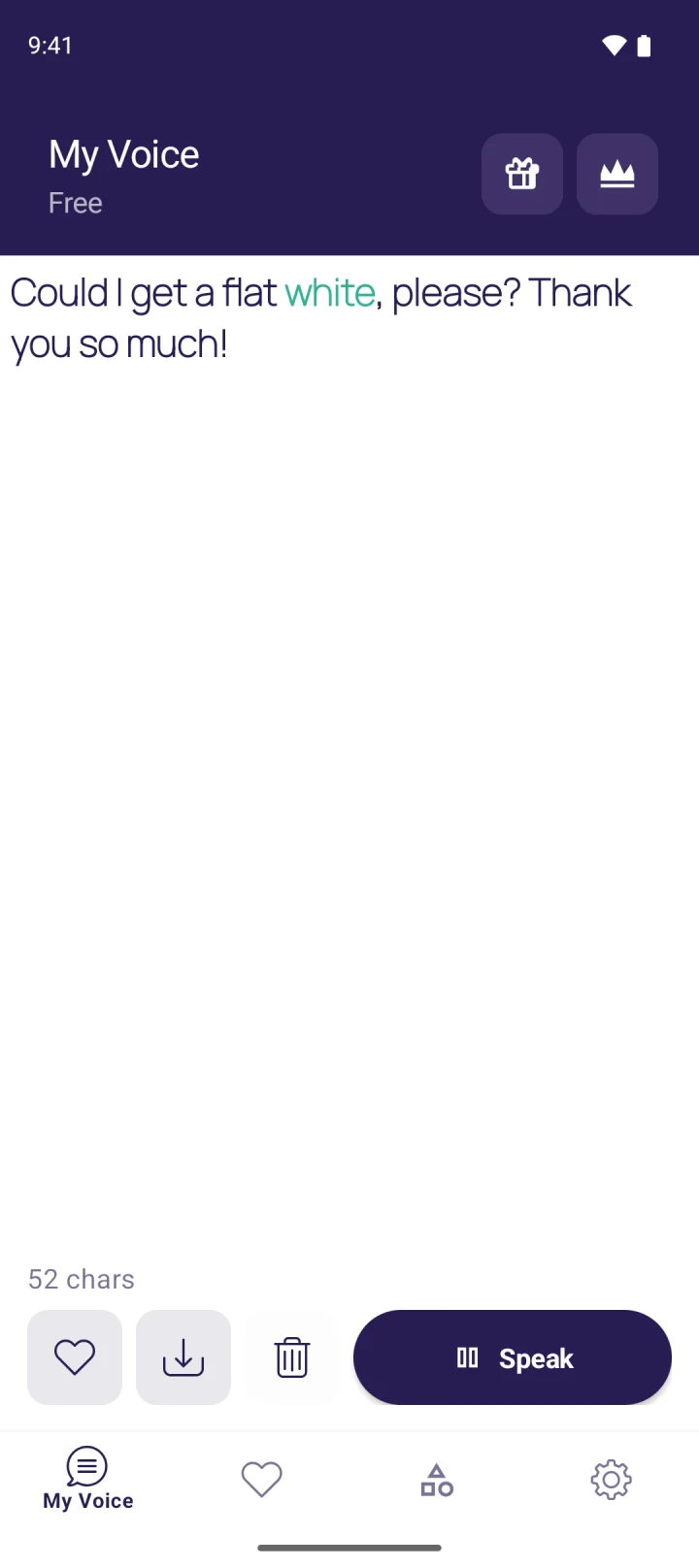
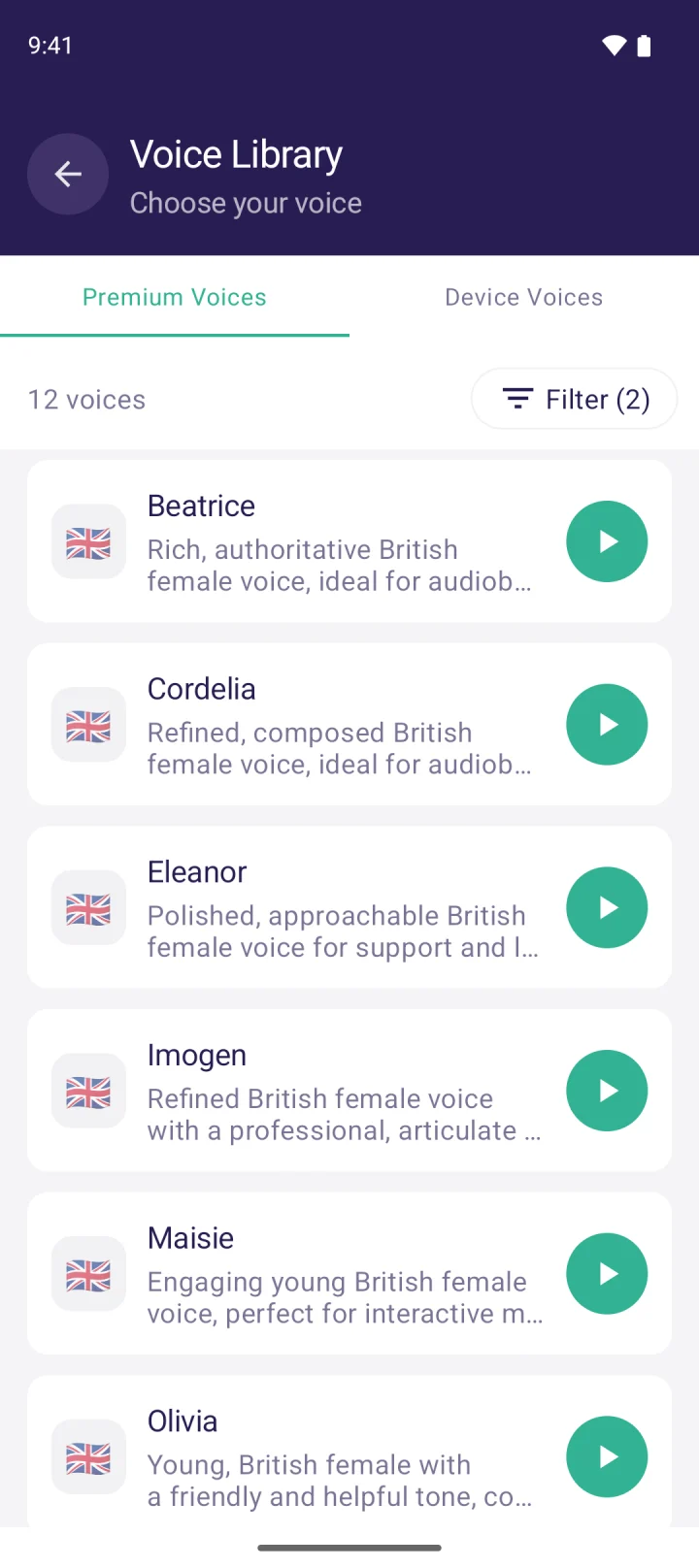
MyVoice is our app. It’s a text-based AAC app for Android and iPhone: you type, tap Speak, and it’s read aloud in one of 300+ natural AI voices across 16 languages. Saved phrases, favourites and categories keep everyday lines one tap away. On Android, it adds unlimited on-device voices that work offline, speak as you type, and pitch control for on-device voices. It works with TalkBack.
The free plan includes every AI voice for 3,000 characters a month, with no ads, and paid plans start at $2.99 a month (see pricing). It has no symbol boards, so it suits people who can read and type.
Built-in Android features that help with AAC
- App pinning keeps the device on one app, so the AAC app can’t be closed by accident. Find it in your security settings (the exact name varies by manufacturer).
- TalkBack and Select to Speak read the screen aloud for people with low vision.
- Type responses during calls, on Google Pixel 6 and later, reads your typed replies to the person on a phone call.
Our guide to using text to speech on iPhone and Android explains where these settings are.
Choosing an Android device for AAC
- Speaker volume matters more than you’d think. Test the device in a noisy room. If it’s too quiet, add a small Bluetooth speaker.
- Screen size: a tablet is easier for symbol boards and large keyboards, and a phone is more discreet and always with you. Many people use both.
- Software updates: choose a device that still gets Android updates, and check each app’s minimum version. MyVoice needs Android 9 or later.
- Battery and protection: a rugged case, a screen protector and a spare charger avoid a lot of disruption.
- Try before you buy: use free versions and trials, and ask your SLT or AAC service whether they can lend a device.
Android or iPad for AAC?
| Question | Android | iPad |
|---|---|---|
| Choice of AAC apps | Smaller, but includes solid symbol and text apps | Widest choice, including Proloquo2Go and LAMP |
| Device cost | Wide range, including low-cost tablets | Higher starting price |
| Works on the phone you already have | Yes, if you use Android | Only if you use iPhone |
If a specific app, such as LAMP Words for Life, is clinically the right choice, that usually decides the platform. If not, the device the person already owns and carries is often the best starting point.
FAQ
Is Proloquo2Go available on Android?
No. Proloquo2Go, Proloquo4Text, TouchChat HD and LAMP Words for Life are Apple only. On Android, Avaz AAC, CoughDrop and Cboard are the main symbol-based options.
Is there a free AAC app for Android?
Yes. Cboard is free and open source. Spoken lets you speak for free, and MyVoice has a free plan with no ads and unlimited offline voices on Android. Speech Assistant AAC has a free basic version.
What’s the best text-based AAC app for Android?
It depends on the person. Predictable has strong word prediction and supports 43 languages. Spoken builds sentences from predicted words. MyVoice focuses on natural AI voices at low cost.
Why do therapists recommend iPads for AAC?
Many established AAC apps are only on Apple devices, and many services and funding bodies standardised on iPad. Android can work well too, especially for people who can type or who already own an Android device.
Download MyVoice
Try for free
Natural AI voices, saved phrases, and full accessibility support on iOS and Android.