Text to speech with a realistic British accent: the best options for UK English
Where to find realistic British accent text to speech on iPhone and Android, how built-in UK voices compare with natural AI voices, and how to choose a British voice that sounds like you.
For a realistic British accent, you can use the free UK English voices built into iPhone and Android, or an app with natural AI voices. MyVoice has British English AI voices, male and female, young, middle-aged and older, that you can listen to before you install, and its free plan includes all of them. Built-in voices are free and work offline, but they usually sound less natural than AI voices.
We make MyVoice, so we’ve tried to keep this guide useful whichever app you choose.
Why a British voice matters
If text to speech is how you talk, the voice speaks for you. An American accent can feel like someone else talking, and in the UK it can make people assume you’re using a gadget rather than speaking yourself. A British voice also says words the way you would: “tomato”, “schedule”, “aluminium” and plenty of place names sound noticeably different in a US voice.
Age matters too. A young voice can feel wrong for an older person, and the other way round, so look for a choice of ages as well as genders.
Free British voices built into your phone
iPhone
iPhone includes several English (UK) voices. Go to Settings > Accessibility > Read & Speak > Voices (called Spoken Content before iOS 26), choose English, and download a UK voice. Downloaded voices work offline. To have your phone speak what you type, turn on Live Speech in Settings > Accessibility > Live Speech and pick the same voice there.
Android
Android’s voices come from its speech engine. In Settings > Accessibility > Text-to-speech output, set the language to English (United Kingdom), then open the engine’s settings to download and choose a UK voice. On Samsung phones, the path is Settings > Accessibility > Text-to-speech.
Apps that use your phone’s voices, including MyVoice’s Device Voices on Android, will then speak with that British voice, offline and for free.
Natural British AI voices
AI voices are trained on real recordings, so they have the rhythm, emphasis and small variations of real speech. That’s what makes them sound like a person rather than a machine. They’re generated online, so they need a connection.
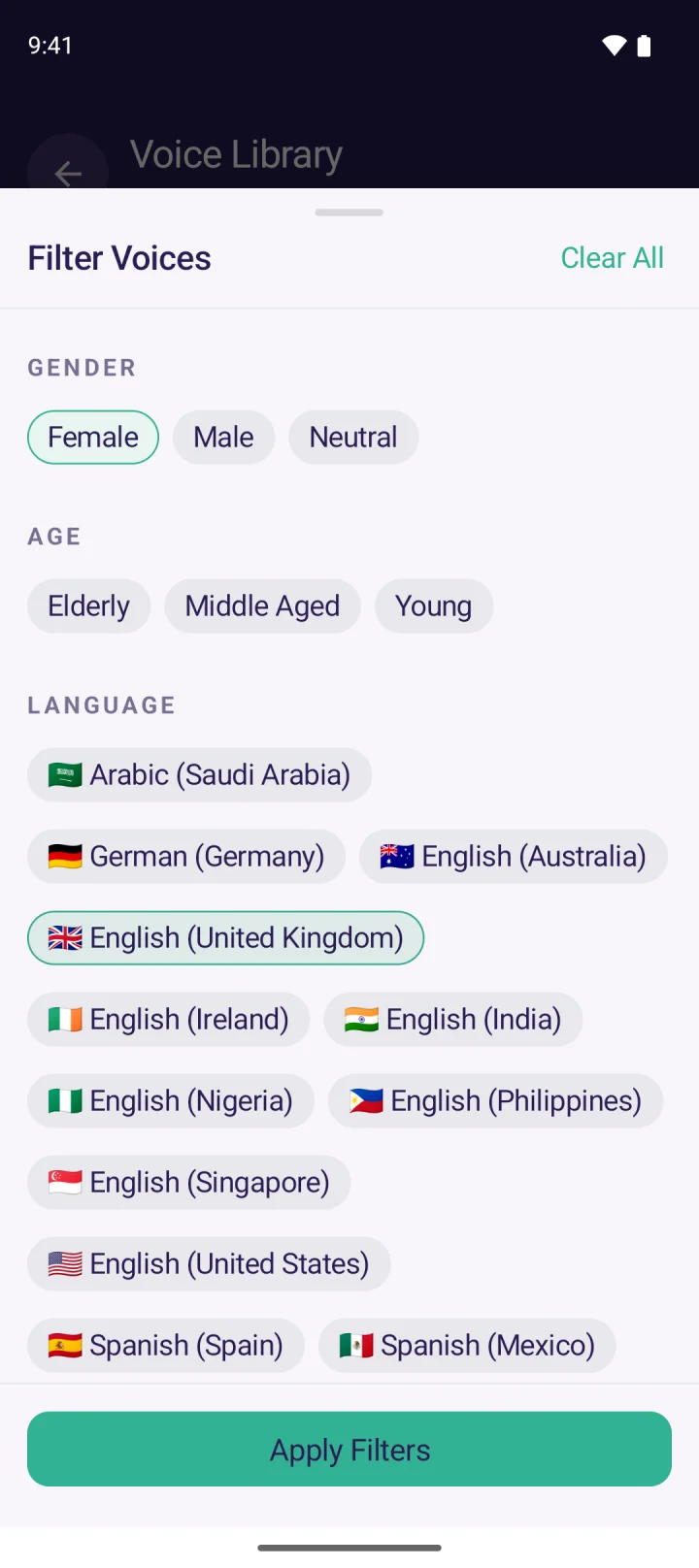
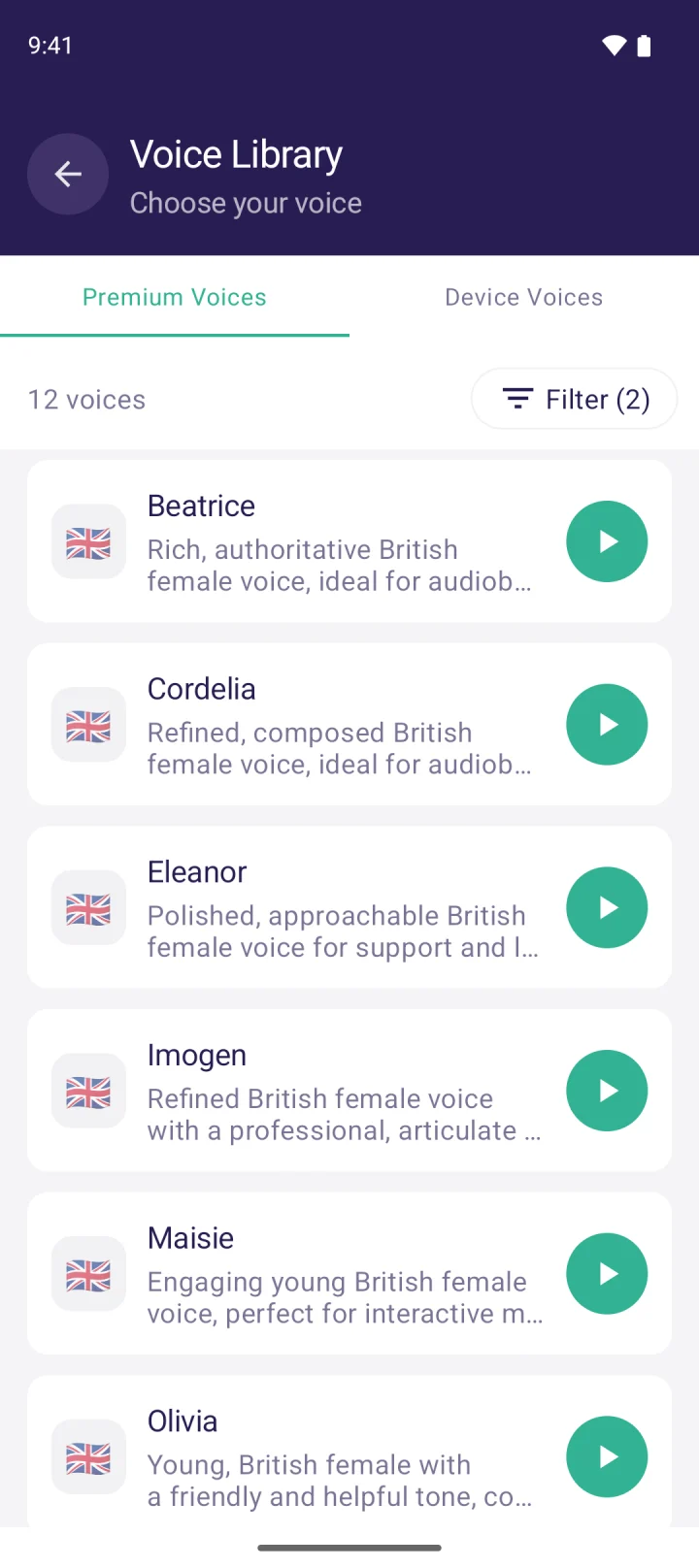
In MyVoice, filter the voice library by English (United Kingdom), then by gender and age, and tap play to hear each voice before choosing. British voices include Beatrice, Cordelia, Eleanor and Maisie, alongside male voices and older and middle-aged voices, and you can hear every one on our British English voices page. We also have Irish English voices, and other English accents including Australian, Indian and Nigerian.
Regional British accents
Most British text to speech voices, built-in and AI, speak in a fairly standard English accent. Regional accents such as Scottish, Welsh, Geordie or Scouse are much rarer in text to speech. If a regional accent matters to you, listen to samples carefully before you commit, and look at apps that support personal or banked voices, which are made from recordings of a real person.
How to choose a British voice that sounds like you
- Start with age and gender. Narrow the list down to voices that could plausibly be you.
- Listen to a sentence you’d actually say, not just the sample. A voice that sounds good reading a demo line can sound wrong saying “Could I have a flat white, please?”.
- Try it in a real conversation. Use it with someone you know for a day before deciding.
- Adjust the speed. A slightly slower pace often sounds more natural, especially in conversation. Our guide to making text to speech sound natural has more tips.
- Keep a backup. On Android, set a British on-device voice as well, for when you have no signal.
FAQ
Is there a text to speech app with a British accent?
Yes. iPhone and Android both include free UK English voices, and apps such as MyVoice offer natural British AI voices. You can hear MyVoice’s British voices on the British English voices page.
What’s the most realistic British text to speech voice?
AI voices sound much more natural than the built-in ones. The best way to choose is to listen: realism depends as much on whether the voice suits you as on the technology.
Is British text to speech free?
The built-in UK voices on iPhone and Android are free. MyVoice’s free plan includes every British AI voice for 3,000 characters a month, plus unlimited on-device voices on Android, with no ads.
Can I get a Scottish, Welsh or Irish accent?
MyVoice has Irish English voices. Scottish and Welsh accents are much rarer in text to speech, so listen to samples before you choose an app.
Download MyVoice
Try for free
Natural AI voices, saved phrases, and full accessibility support on iOS and Android.